
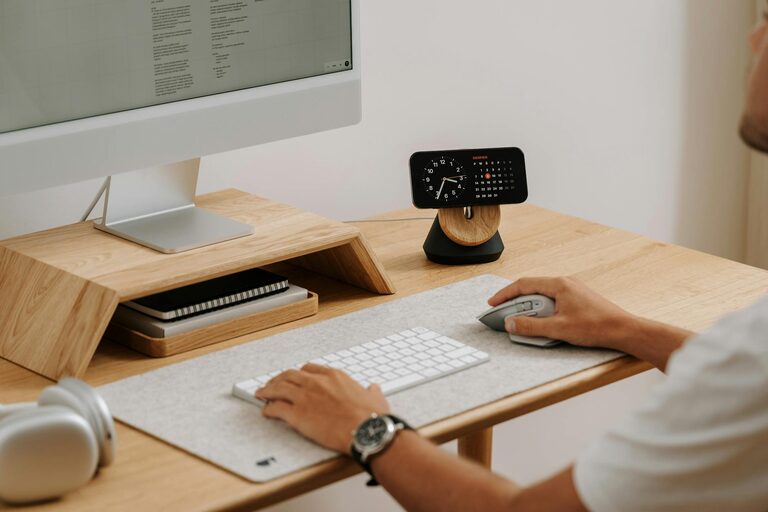

Creating a productive home office environment is key to working efficiently, especially as remote work becomes more common. A well-designed workspace can help improve focus, reduce distractions, and promote a healthy work-life balance. Whether you have a dedicated room or just a small corner, there are plenty of ways to optimise your home office. Here are essential tips and suggestions to help you create a productive space tailored to your needs.
Choose the Right Location
The first step is selecting the best spot in your home for your office.
– Quiet and Private: Look for a quiet corner away from household noise and distractions. If possible, choose a room with a door to separate work from personal life.
– Natural Light: Position your desk near a window. Natural light helps reduce eye strain and can boost your mood.
– Accessibility: Ensure the space is easily accessible, so you can start your workday promptly without hassle.
Invest in Comfortable and Ergonomic Furniture
Your comfort directly impacts your productivity and wellbeing.
– Ergonomic Chair: Choose a chair that supports your back and encourages good posture. Adjustable height and lumbar support are valuable features.
– Desk Height: Your desk should allow your forearms to be parallel to the floor when typing. Consider an adjustable desk if you prefer alternating between sitting and standing.
– Footrest and Accessories: If your feet don’t rest flat on the floor, a footrest can ease strain. Keyboard trays and monitor stands can also help maintain ergonomics.
Organise Your Workspace Efficiently
An organised desk promotes focus and reduces stress.
– Declutter Regularly: Keep only essential items on your desk. Store less-used items in drawers or shelves.
– Use Storage Solutions: Use organisers, trays, and boxes to keep documents and stationery tidy and easy to access.
– Cable Management: Tidy up cables with clips or cable sleeves to prevent tangles and mess.
Set Up Technology Wisely
Reliable technology is central to a smooth workday.
– Fast Internet: Ensure you have a strong and stable internet connection.
– Quality Equipment: Invest in a good monitor, keyboard, mouse, and headset to enhance comfort and efficiency.
– Backup Power: Consider an uninterruptible power supply (UPS) or surge protector to safeguard against power cuts.
Optimise Lighting for Comfort and Focus
Proper lighting helps reduce fatigue and maintain alertness.
– Natural Light: Maximise daylight but avoid glare on screens by positioning monitors at right angles to windows.
– Task Lighting: Use adjustable desk lamps for focused lighting during detailed work.
– Avoid Harsh Lighting: Soft, diffused lighting is easier on the eyes than bright overhead fluorescents.
Establish a Routine and Boundaries
Creating habits supports productivity and helps separate work from home life.
– Set Work Hours: Define clear start and finish times for your working day.
– Take Breaks: Incorporate regular short breaks to stretch and refresh your mind.
– Limit Distractions: Inform family or housemates of your work hours and consider using noise-cancelling headphones.
Personalise Your Space for Motivation
A welcoming and inspiring environment can boost morale.
– Add Plants: Indoor plants improve air quality and create a calming atmosphere.
– Use Colours You Like: Choose calming or stimulating colours depending on your preference for focus or creativity.
– Display Personal Items: Photos, art, or motivational quotes can provide comfort and encouragement.
Maintain Good Air Quality and Temperature
Comfortable air and temperature contribute significantly to your ability to concentrate.
– Ventilate Regularly: Open windows when possible to let fresh air circulate.
– Control Temperature: Use fans, heaters, or air conditioning to maintain a comfortable temperature.
– Air Purifiers: In some situations, an air purifier can improve indoor air quality, especially if you live in a polluted area.
Keep Your Digital Workspace Organised
Physical organisation should be complemented by a tidy digital environment.
– File Management: Use clear folder structures and consistent file naming to find documents quickly.
– Minimise Notifications: Turn off non-essential alerts to minimise interruptions.
– Backup Regularly: Keep your work safe by backing up important files either to the cloud or external drives.
Take Care of Your Mental and Physical Health
Your overall health has a strong impact on productivity.
– Incorporate Movement: Stand, stretch, or do light exercises during breaks.
– Stay Hydrated and Nourished: Keep water and healthy snacks nearby.
– Practice Mindfulness: Simple techniques like deep breathing can reduce stress and improve focus.
—
Constructing a productive home office environment is about creating a space tailored to your needs — functional, comfortable, and inspiring. By paying attention to location, ergonomics, organisation, and well-being, you can maximise your productivity and enjoy a more rewarding work-from-home experience. Take the time to refine your setup gradually and adjust as needed to find what works best for you.