
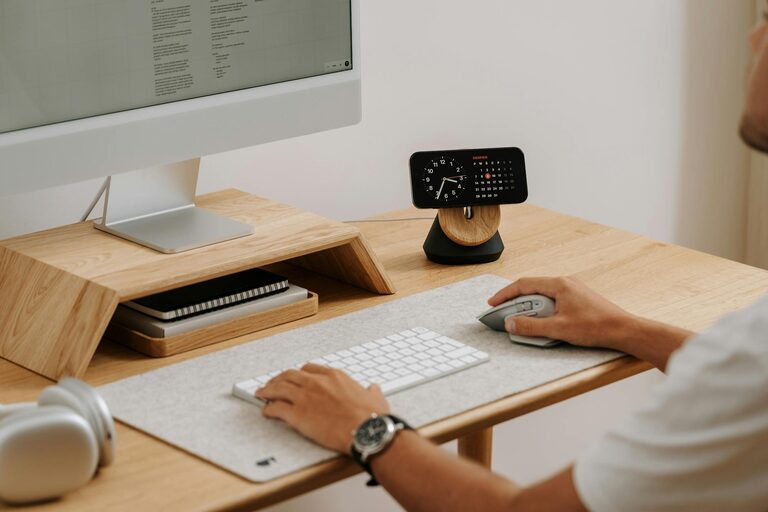

Creating a home workspace that is both organised and productive can significantly improve your work-from-home experience. Whether you are new to remote working or looking to refresh your current setup, having a dedicated, tidy, and well-planned space helps maintain focus, reduce stress, and enhance efficiency.
In this post, we explore practical tips to design a workspace tailored to your needs, promoting a productive workday while maintaining a comfortable and pleasant environment.
Choose the Right Location
Your home workspace location plays a crucial role in your productivity.
– Find a Quiet Spot: Select an area that minimises distractions and external noise, so you can concentrate better.
– Consider Natural Light: Position your desk near a window if possible. Natural light boosts mood and reduces eye strain.
– Separate Work and Living Areas: Avoid working in shared spaces like the kitchen or bedroom if you can. Keeping work separate from relaxation zones helps set boundaries.
Invest in Comfortable and Functional Furniture
Good furniture supports your posture and enhances productivity.
– Ergonomic Chair: Choose a chair that offers lumbar support to prevent back strain during long hours.
– Spacious Desk: Ensure your desk can comfortably hold your computer, documents, and other essentials without clutter.
– Adjustable Elements: Consider an adjustable chair or desk to tailor your setup to your comfort.
Organise with Storage Solutions
Keeping your workspace clutter-free helps maintain focus and efficiency.
– Use Drawers and Shelves: Store stationery, files, and gadgets out of sight but within reach.
– Desk Organisers: Use trays, pen holders, and file racks to keep items orderly.
– Go Digital Where Possible: Reduce paper by scanning documents and organising digital folders.
Optimise Your Technology Setup
Reliable and efficient technology supports smooth work processes.
– High-Speed Internet: Ensure your internet connection is fast and stable.
– Quality Monitor and Ergonomic Keyboard: Larger screen space and comfortable input devices can improve your workflow and reduce fatigue.
– Cable Management: Use clips or sleeves to keep cables organised and prevent tangling.
Personalise Your Space
Adding personal touches can make your workspace more inviting.
– Plants: Indoor plants add a refreshing touch and improve air quality.
– Artwork or Photos: Display items that motivate or comfort you without causing distraction.
– Colour Scheme: Choose calming colours or accents that inspire creativity.
Establish Clear Boundaries and Routine
Creating structure helps separate work from personal life and maintains productivity.
– Set Working Hours: Define specific start and finish times to maintain work-life balance.
– Create a Morning Routine: Prepare for the day with rituals such as planning tasks or light stretches.
– Take Breaks: Step away from your desk to recharge, helping avoid burnout.
Keep Your Workspace Clean
Regular cleaning contributes to a pleasant working atmosphere.
– Daily Tidying: Spend a few minutes clearing your desk at the end of each day.
– Weekly Deep Clean: Dust surfaces, clean your keyboard and equipment regularly.
– Declutter: Periodically review your items and remove what you no longer need.
Stay Organised with Planning Tools
Planning tools can help you prioritise and track your work.
– Use To-Do Lists: Write down daily tasks to keep focused.
– Digital Calendars: Schedule meetings and deadlines efficiently.
– Bullet Journals or Planners: These help some people maintain better control over projects.
Conclusion
Designing an organised and productive home workspace is achievable with thoughtful planning and consistent habits. By selecting the right location, investing in ergonomic furniture, maintaining neatness, and managing your routine, you can create a comfortable and efficient environment that supports your work goals.
Take time to personalise your area and keep it clean, so it remains an inspiring place to be productive day after day. Small changes can make a big difference for your work-from-home success.